Connectors hub
Connectors hub
Automating data connections for seamless analytical reporting.
Automating data connections for seamless analytical reporting.
Automating data connections for seamless analytical reporting.
B2B SaaS
B2B SaaS
B2B SaaS
Data Connectors
Data Connectors
Data Connectors
About vue.ai
About vue.ai
Vue.ai is an AI-powered retail automation platform that helps businesses personalize shopping experiences, automate workflows, and optimize operations. Vue.ai primarily serves fashion, e-commerce, and retail businesses, helping them improve engagement and conversions through AI-driven solutions.
Vue.ai is an AI-powered retail automation platform that helps businesses personalize shopping experiences, automate workflows, and optimize operations. Vue.ai primarily serves fashion, e-commerce, and retail businesses, helping them improve engagement and conversions through AI-driven solutions.
Team
Team
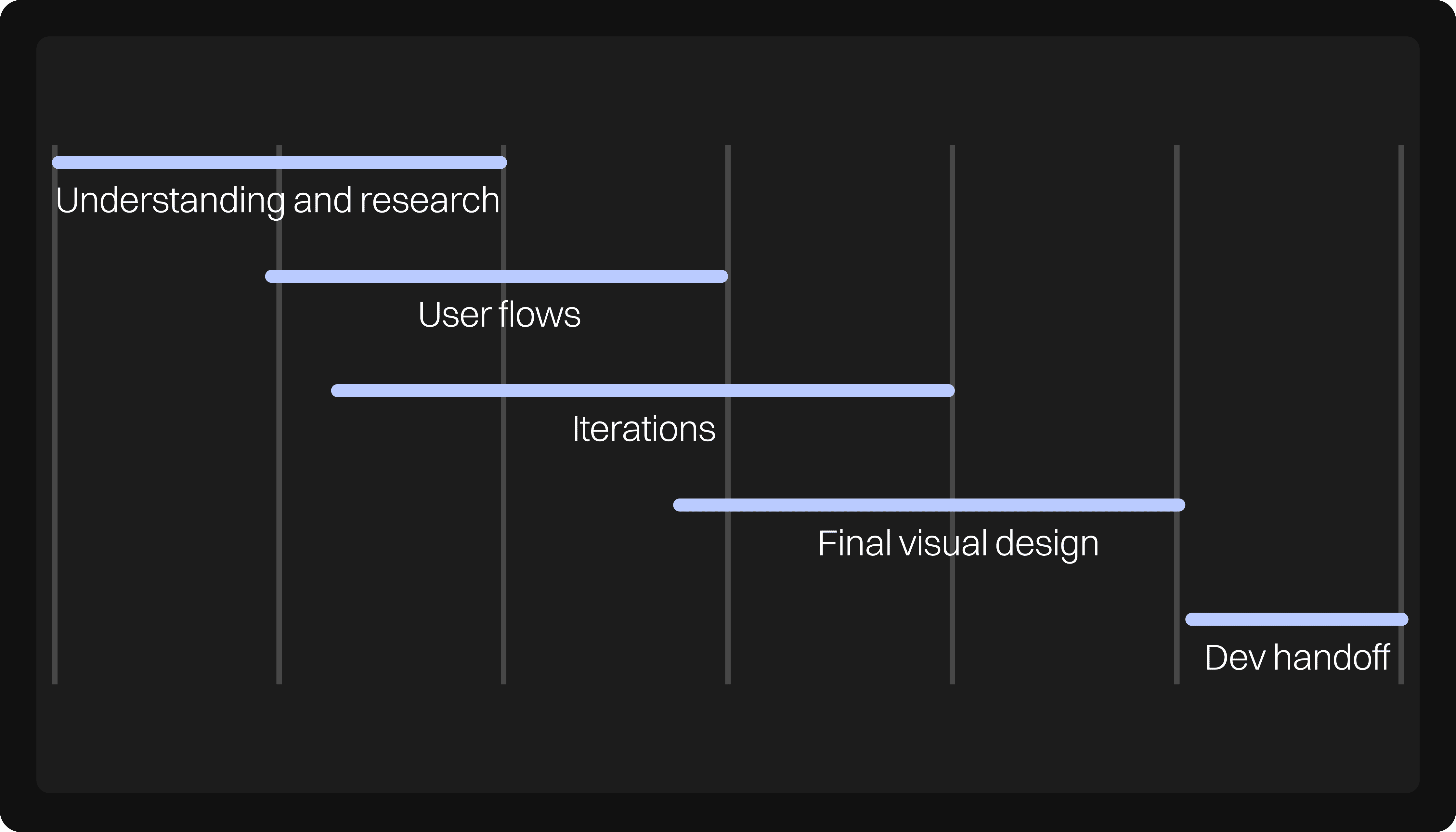
My Role: Product Designer
Deliverables: Final Visual Design
Team members: 1 Product Designer (myself), 2 product managers, 1 backend developer
Collaboration: Design team (team of 6) for ideas brainstorming and UX flows
Duration: 2 months
Tools Used: Figma
My Role: Product Designer
Deliverables: Final Visual Design
Team members: 1 Product Designer (myself), 2 product managers, 1 backend developer
Collaboration: Design team (team of 6) for ideas brainstorming and UX flows
Duration: 2 months
Tools Used: Figma
Goal
Goal
Build data pipeline to automate large scale data integration through connectors.
Build data pipeline to automate large scale data integration through connectors.
Responsibilities
Responsibilities
Work with stakeholders and development team to understand the business outcomes and development possibilities
Work with stakeholders and development team to understand the business outcomes and development possibilities
An easy use and simplified solution
An easy use and simplified solution
Creating flows, user journeys, prototypes and information architecture
Creating flows, user journeys, prototypes and information architecture
Design process
Design process
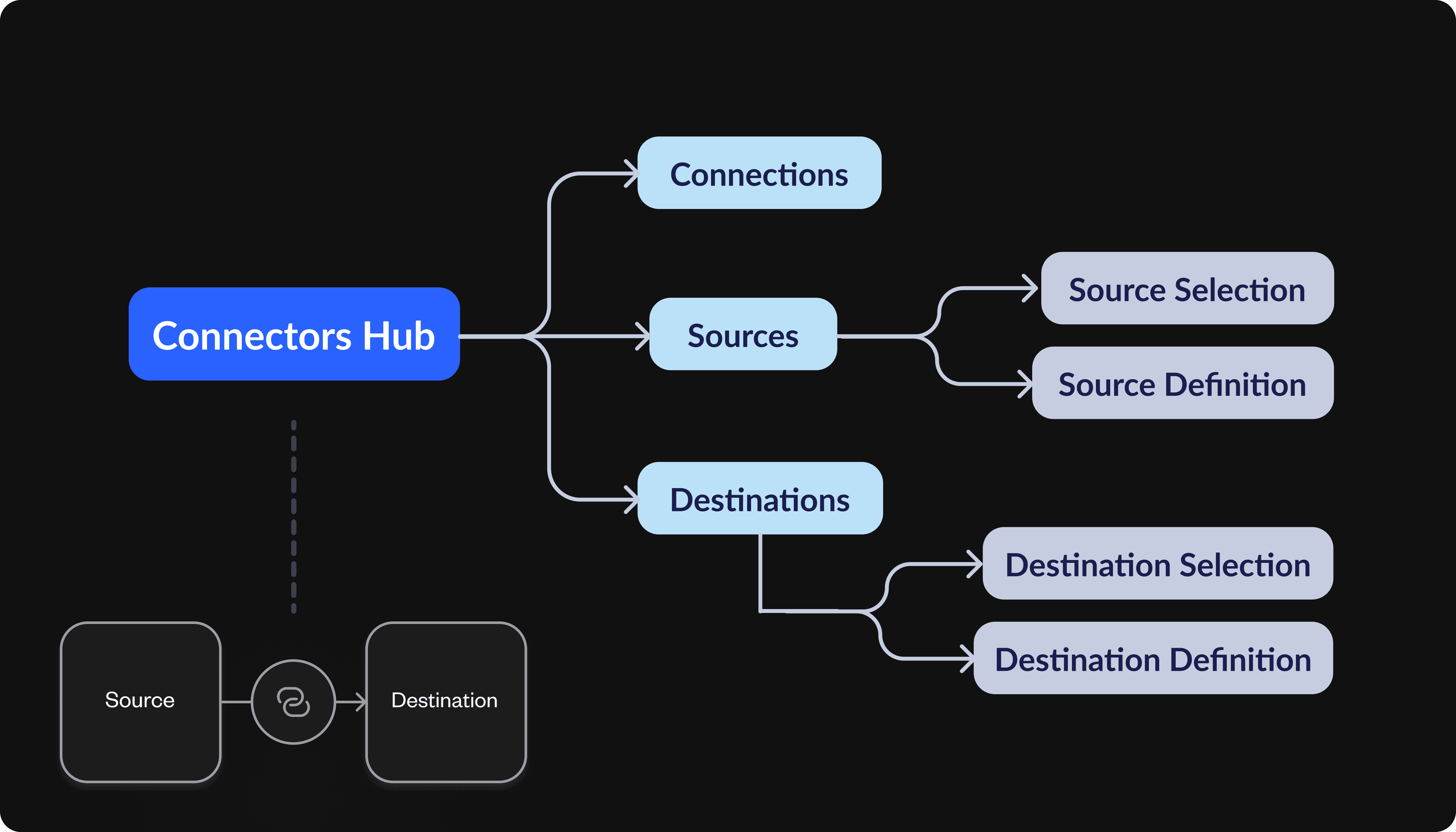
Establishing a connection - product understanding
Establishing a connection - product understanding
To establish a connection, a Source and a Destination would be required.
To establish a connection, a Source and a Destination would be required.
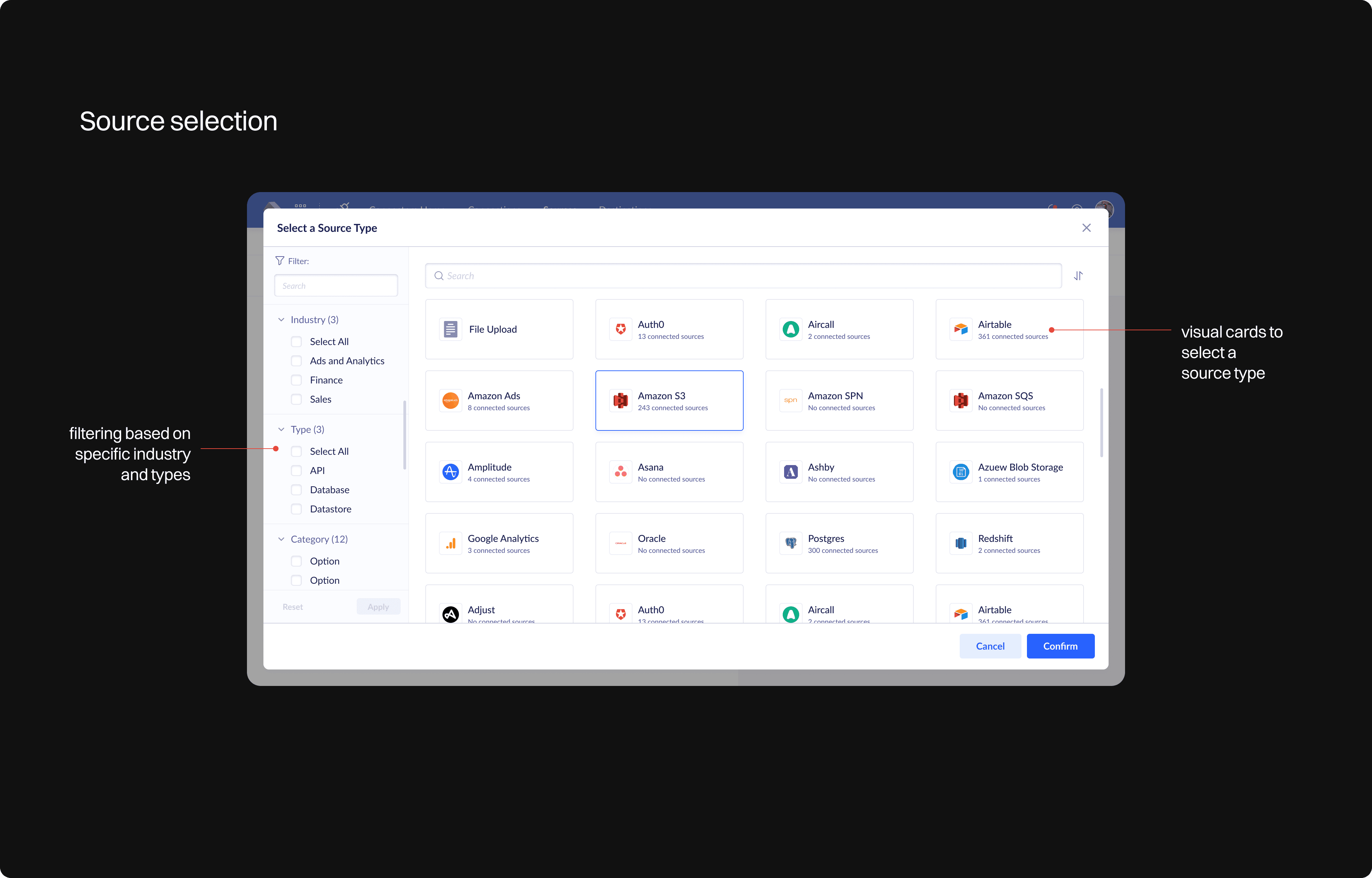
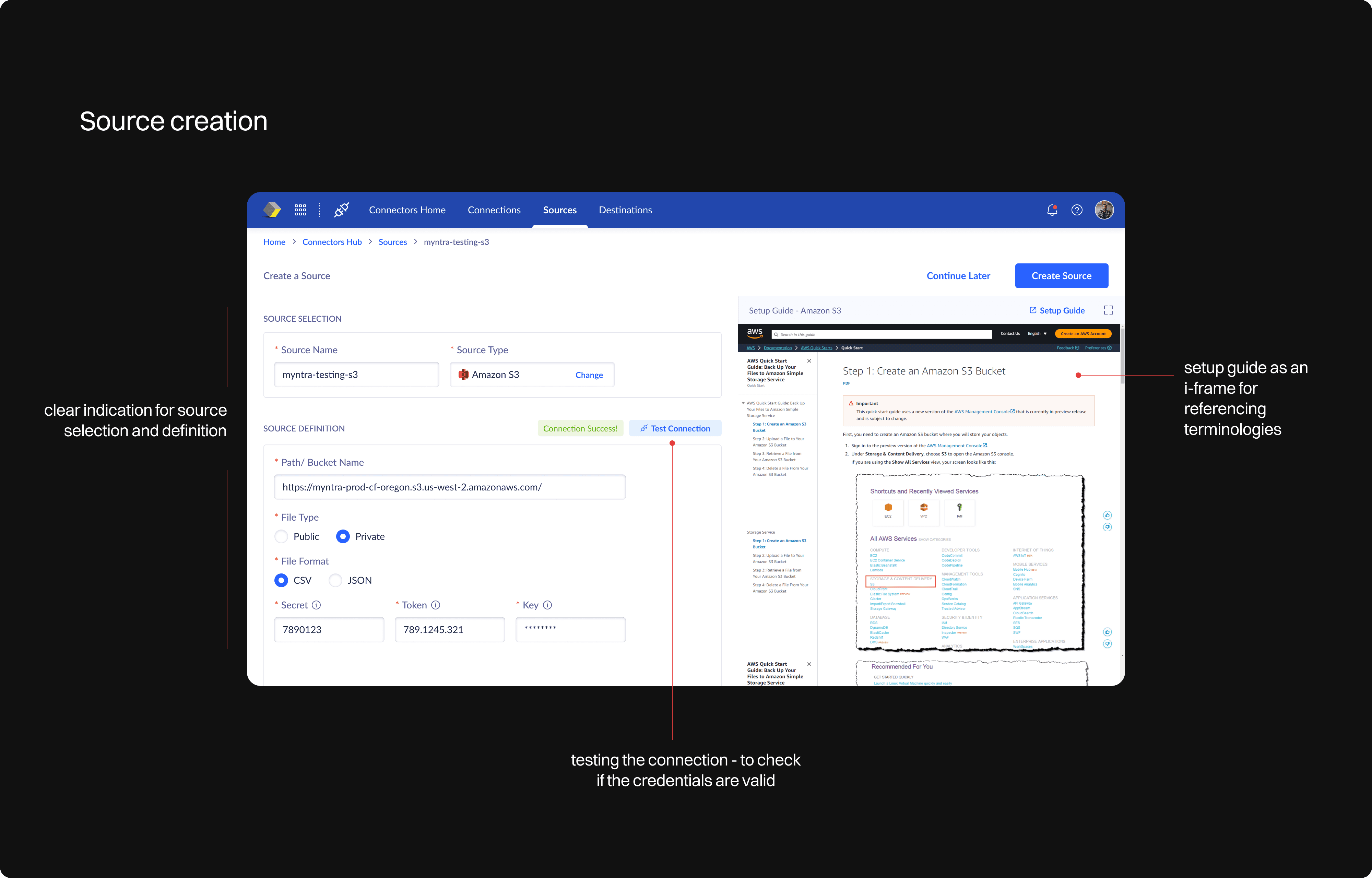
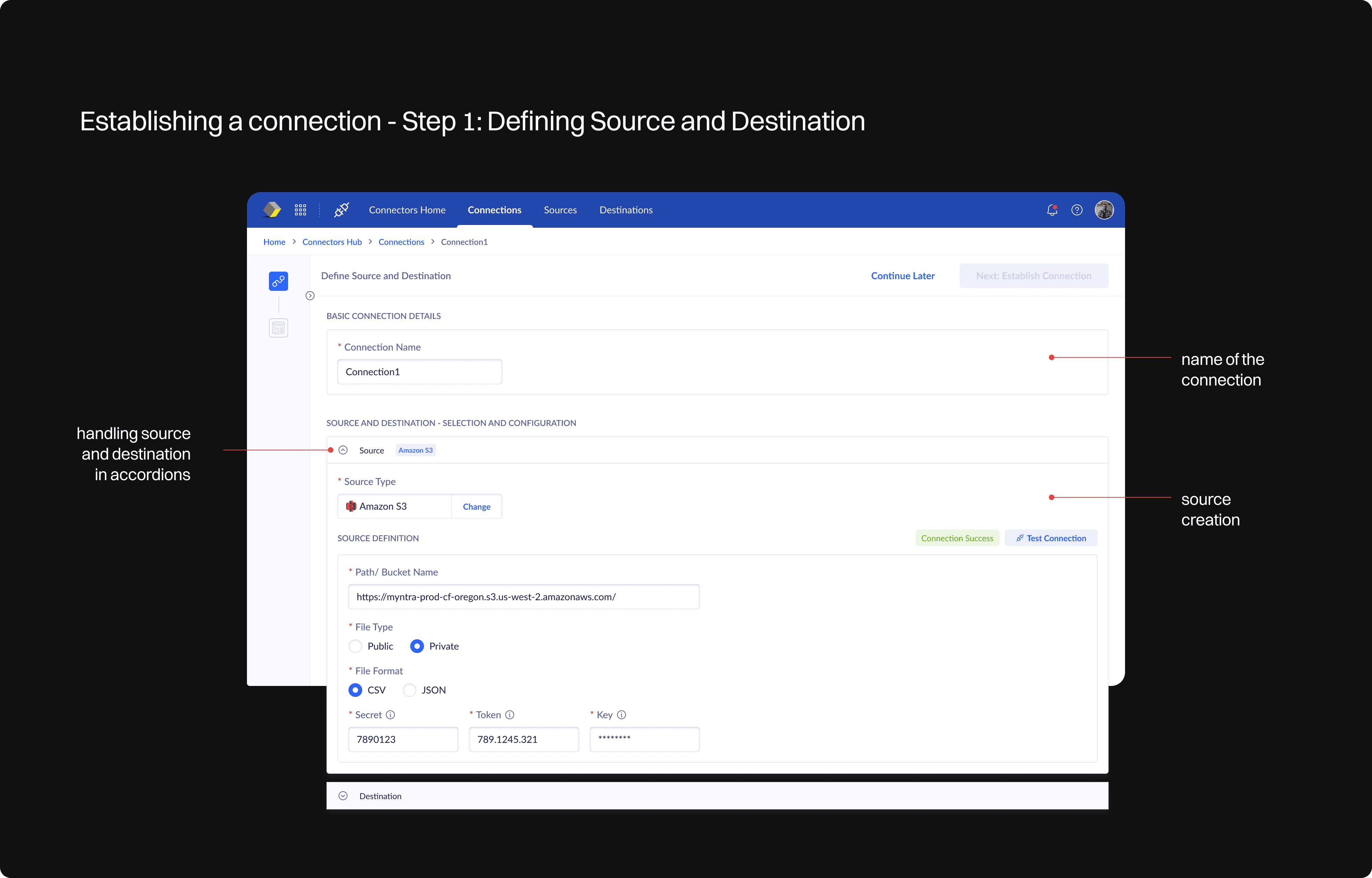
To connect a Source, we need to select the source and define it. The same goes for Destination. A connection is established when a source and a destination are present.
To connect a Source, we need to select the source and define it. The same goes for Destination. A connection is established when a source and a destination are present.
User persona: Backend engineer
User persona: Backend engineer
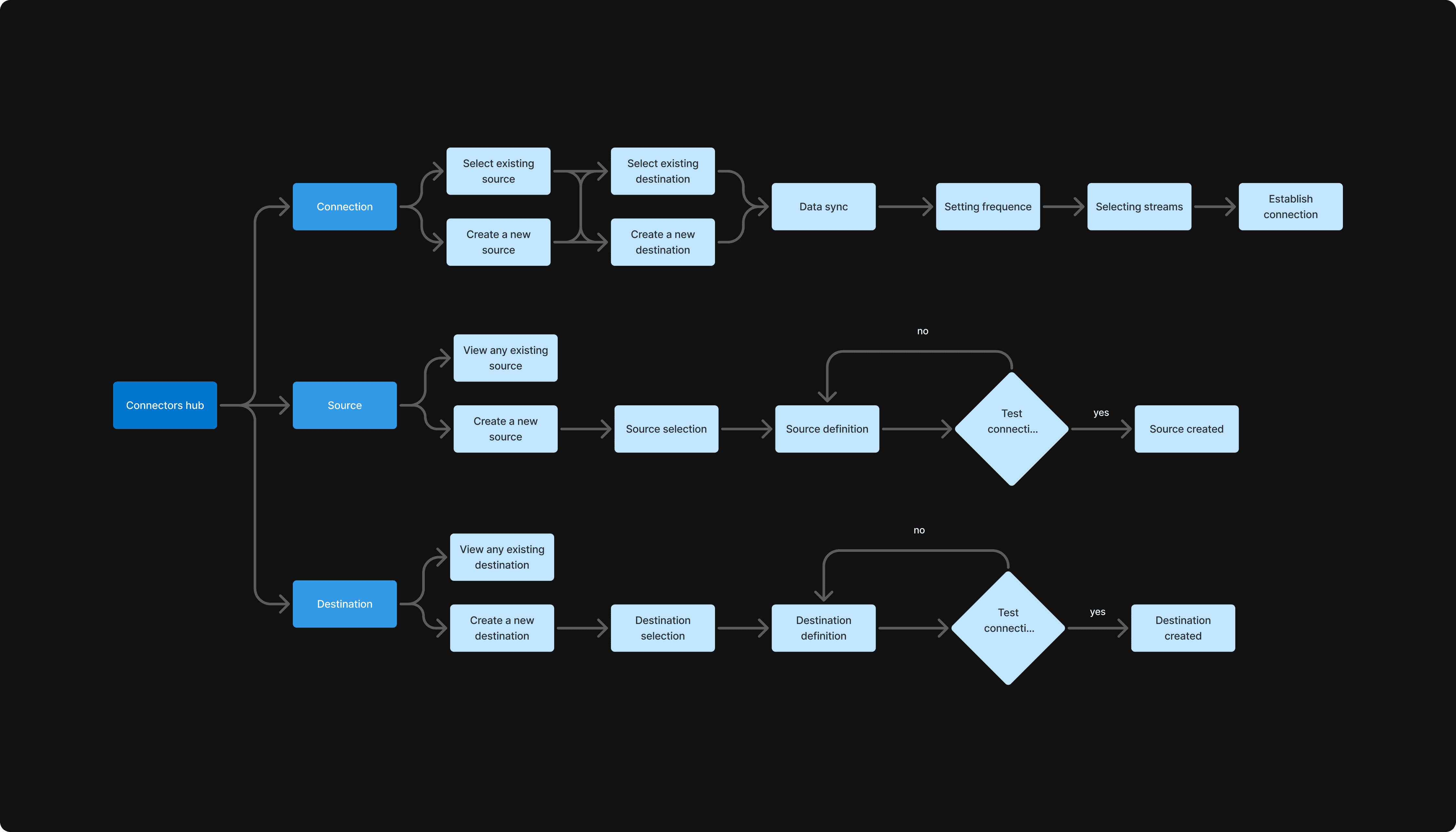
User flow
User flow
To establish a connection, a Source and a Destination would be required.
To establish a connection, a Source and a Destination would be required.
To connect a Source, we need to select the source and define it. The same goes for Destination. A connection is established when a source and a destination are present.
To connect a Source, we need to select the source and define it. The same goes for Destination. A connection is established when a source and a destination are present.
User persona: Backend engineer
User persona: Backend engineer
Source Creation - Design decisions
Source Creation - Design decisions
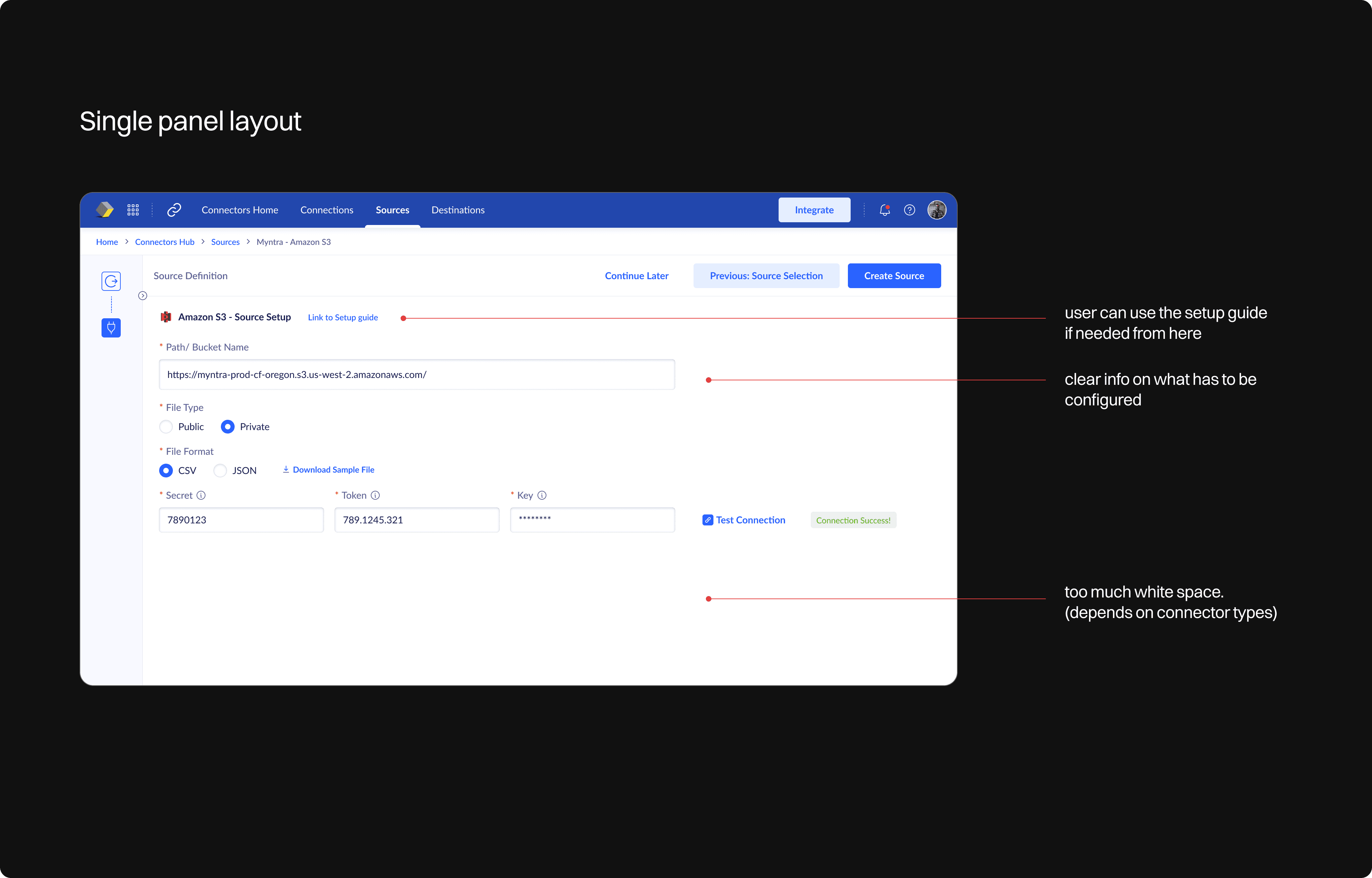
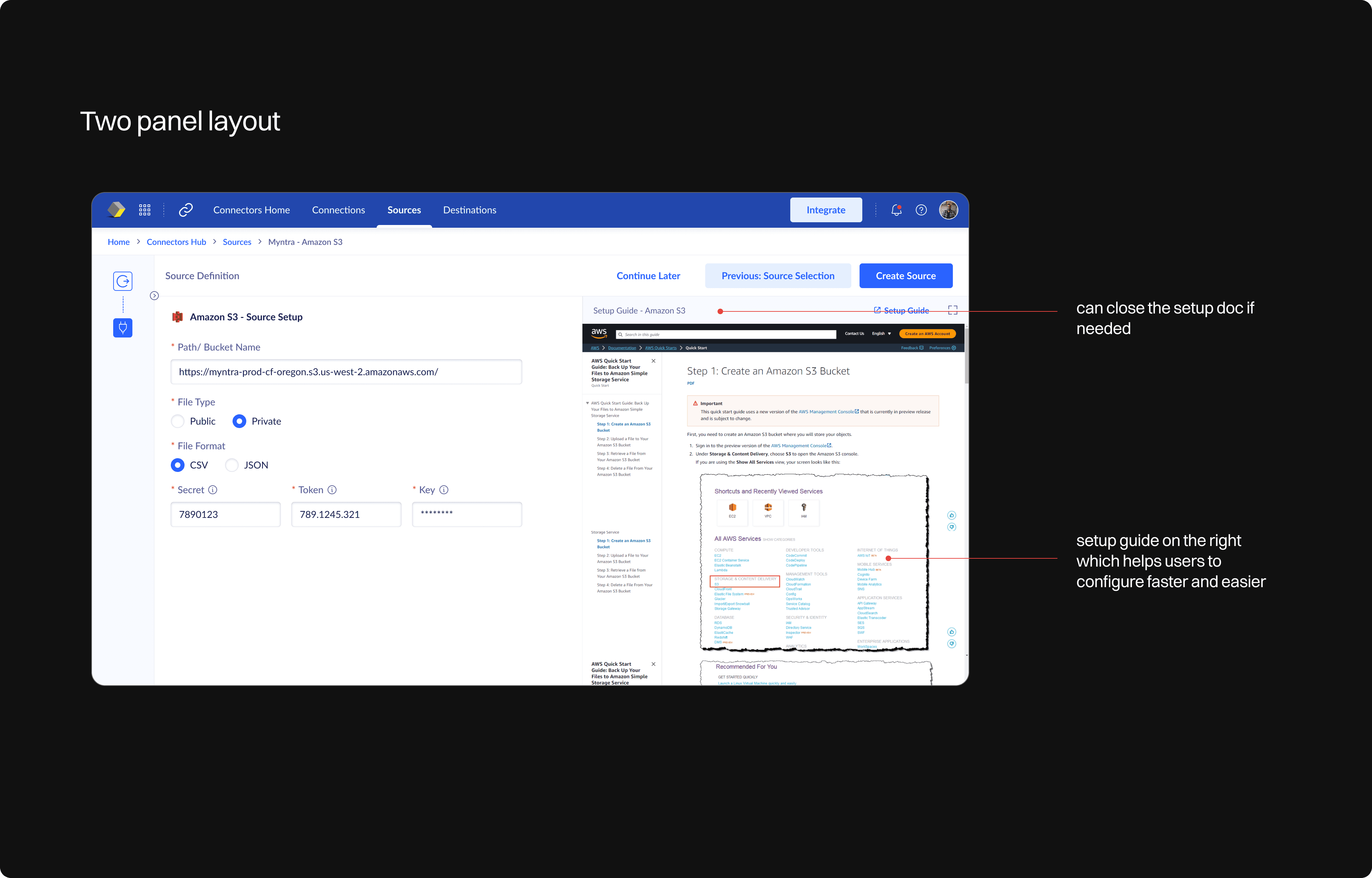
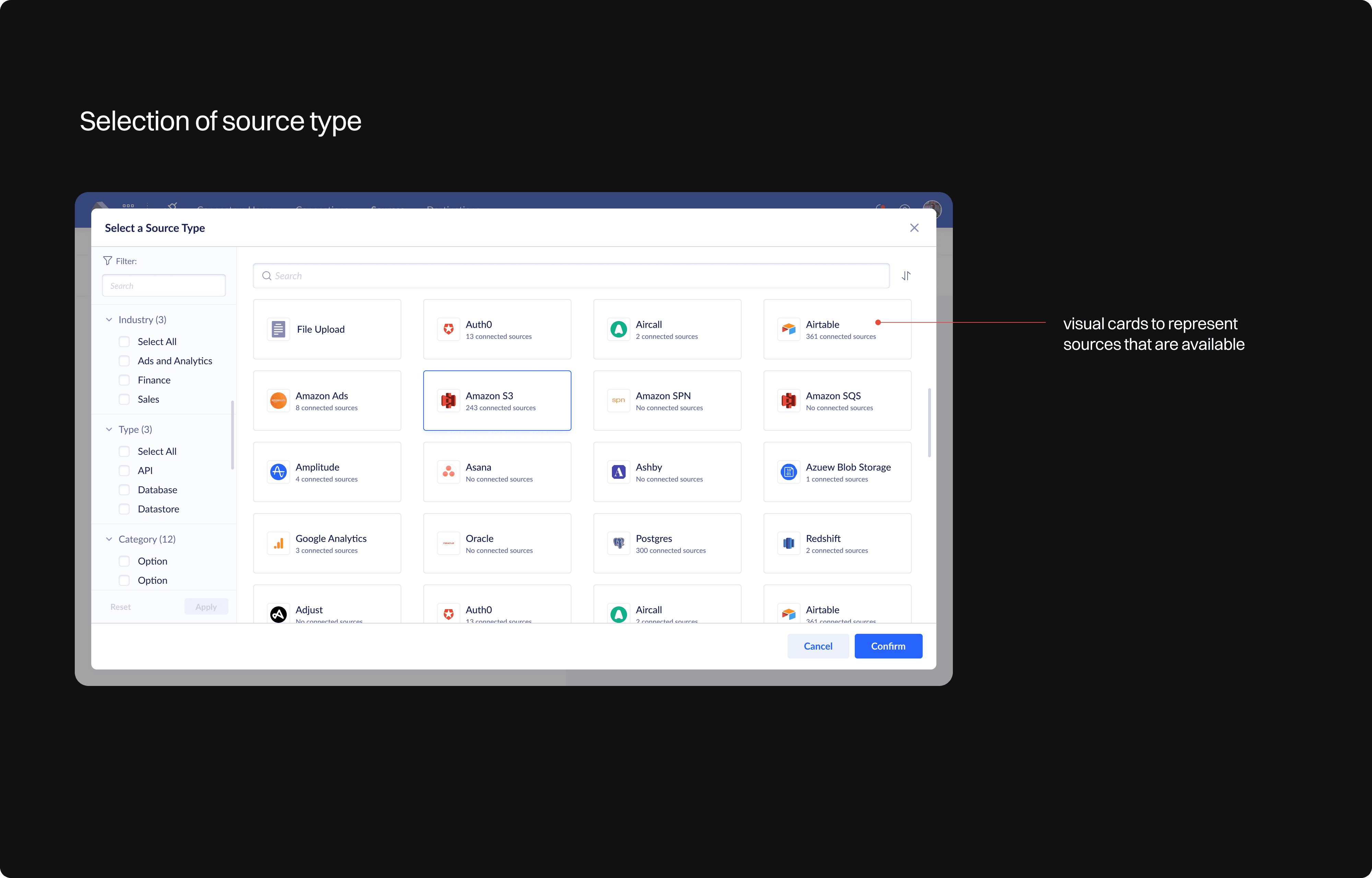
Establishing a Connection - Design decisions
Establishing a Connection - Design decisions
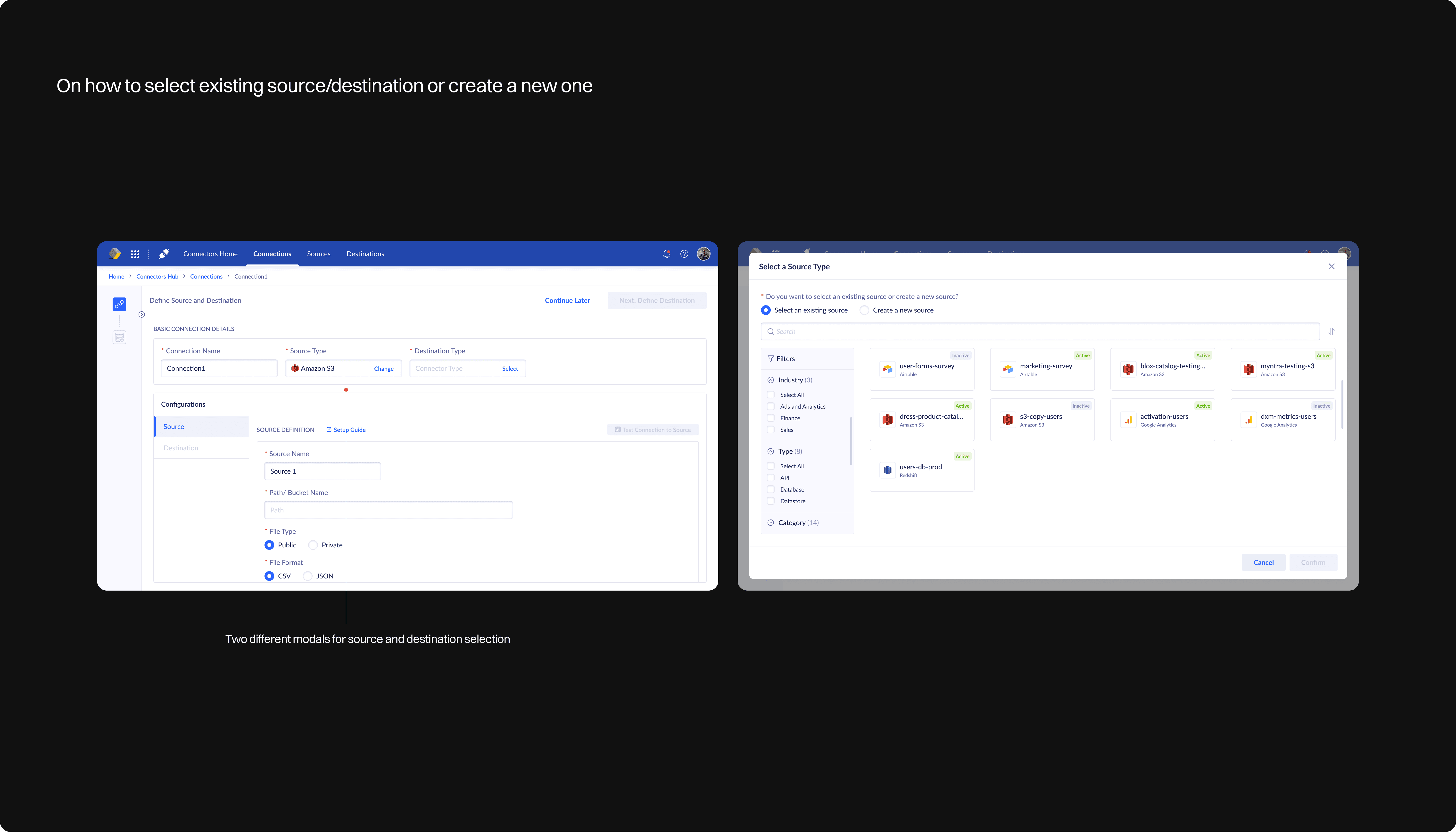
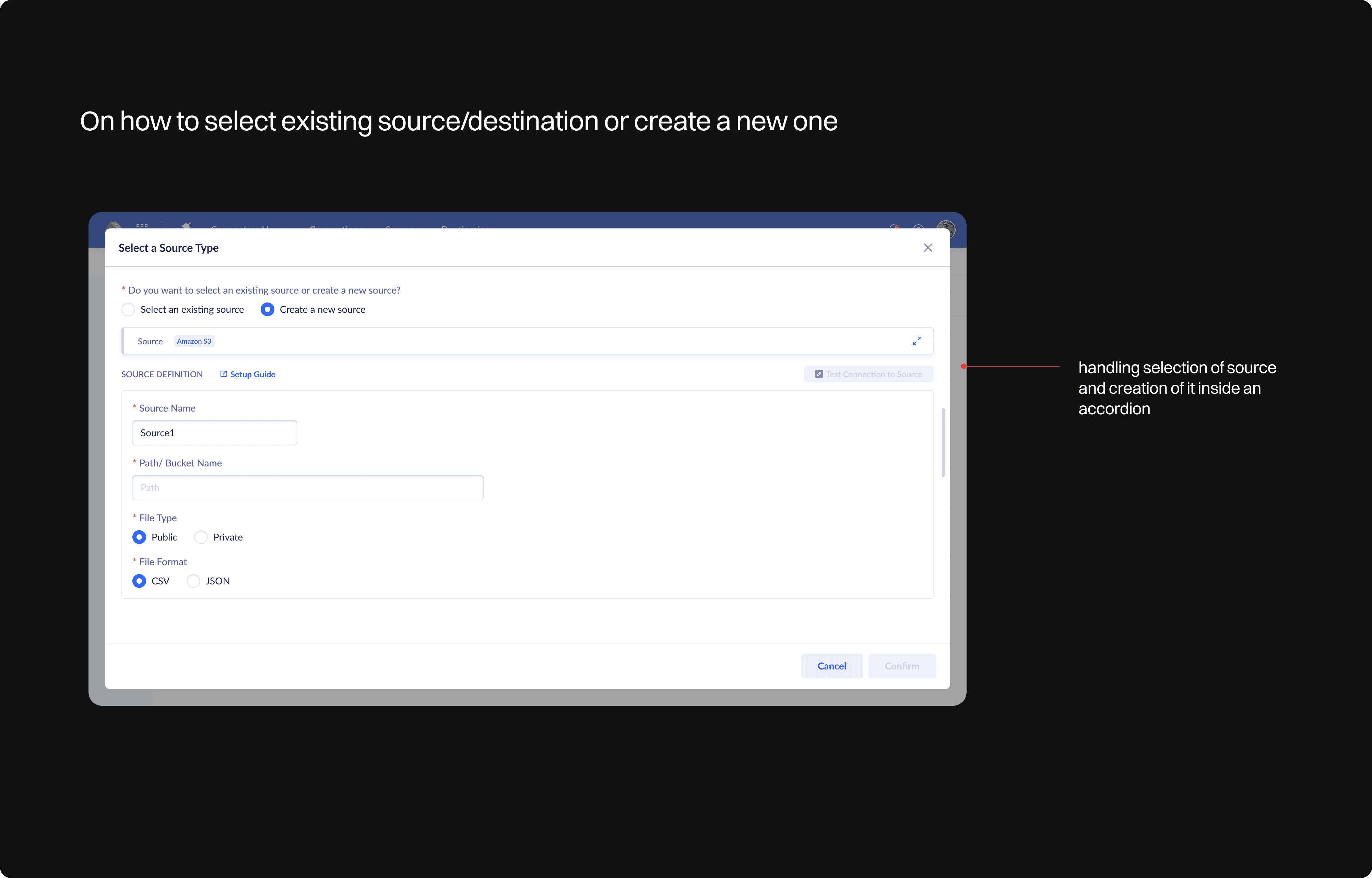
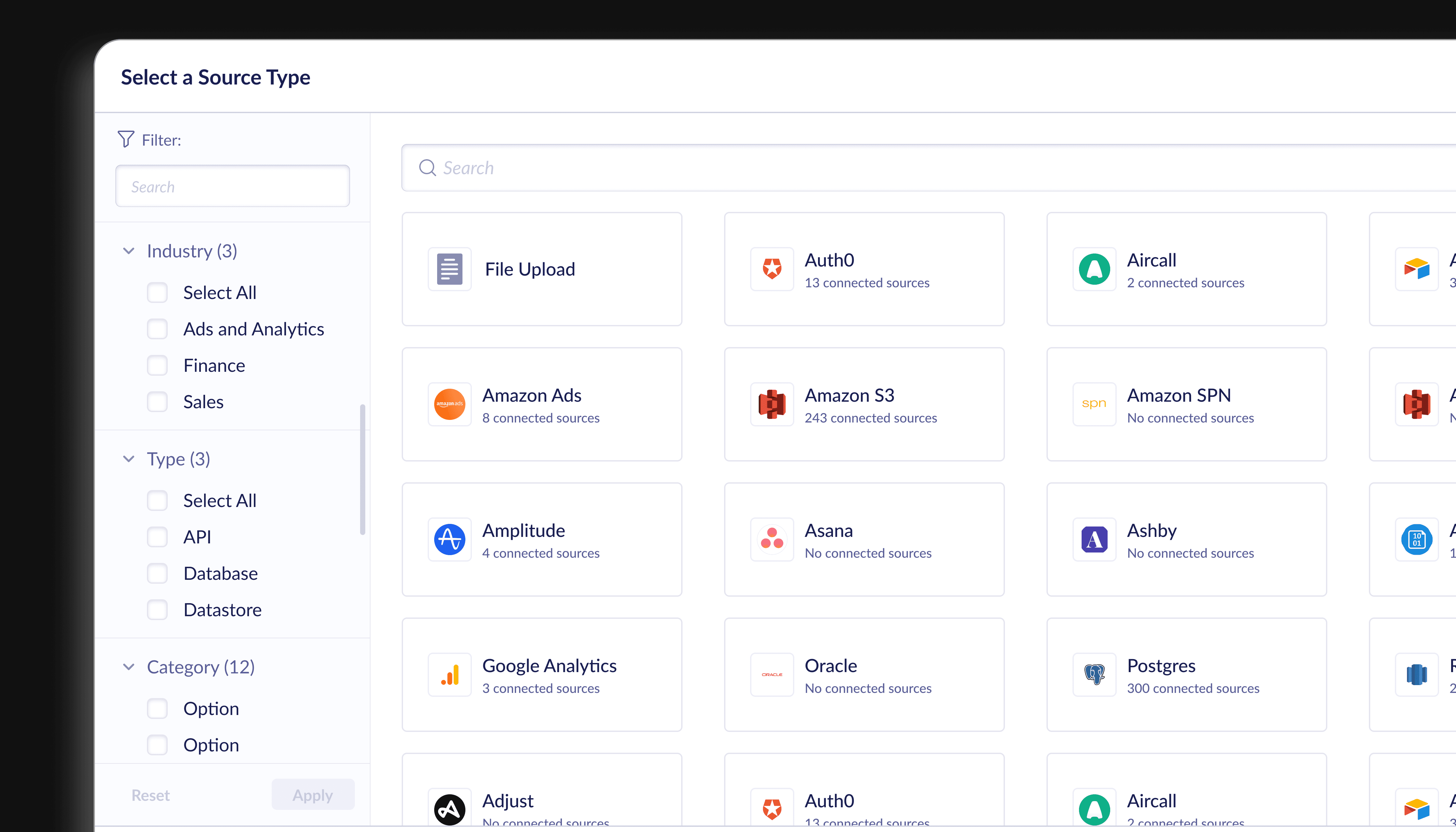
Final visual design - Source Creation
Final visual design - Source Creation
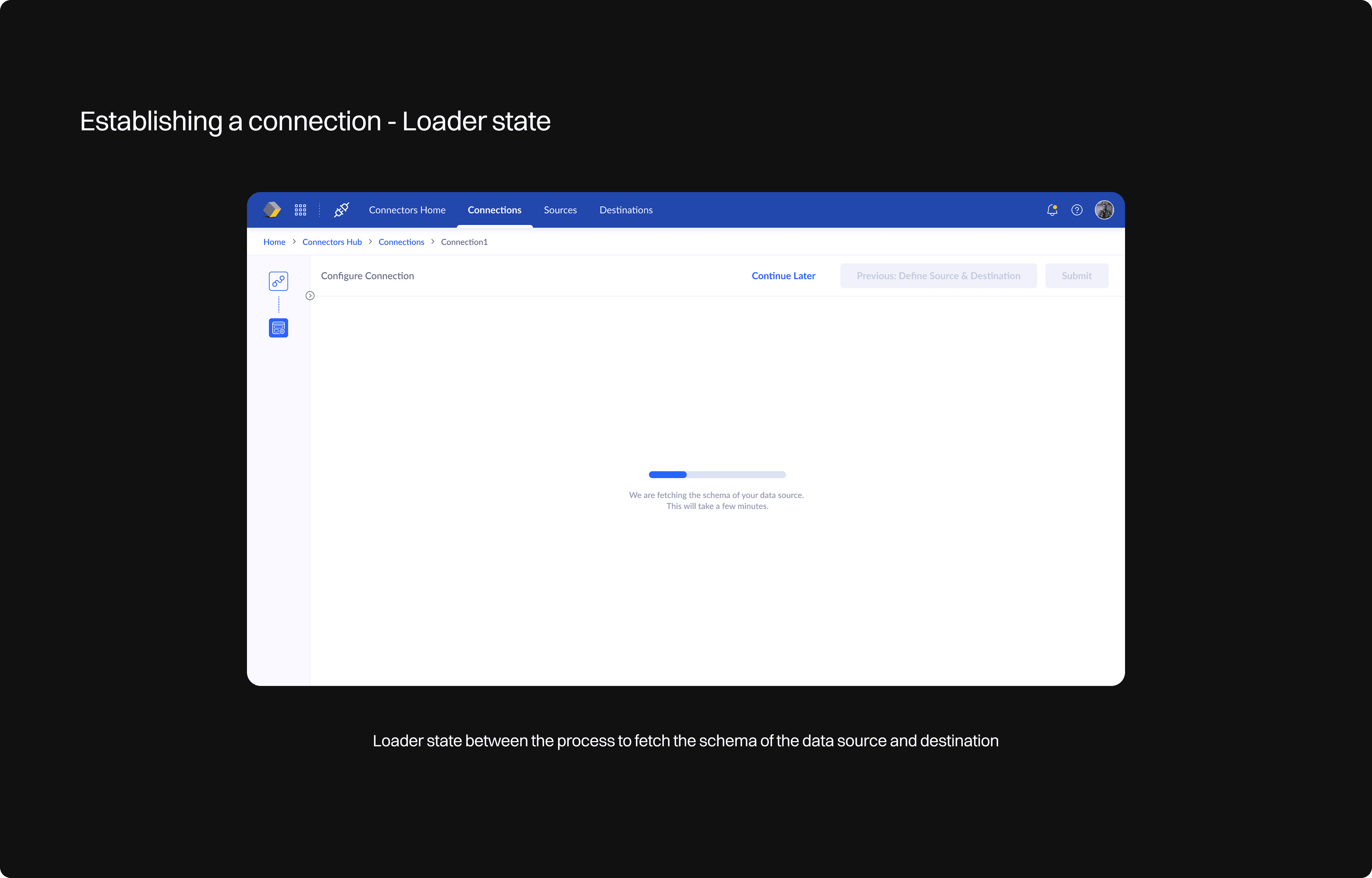
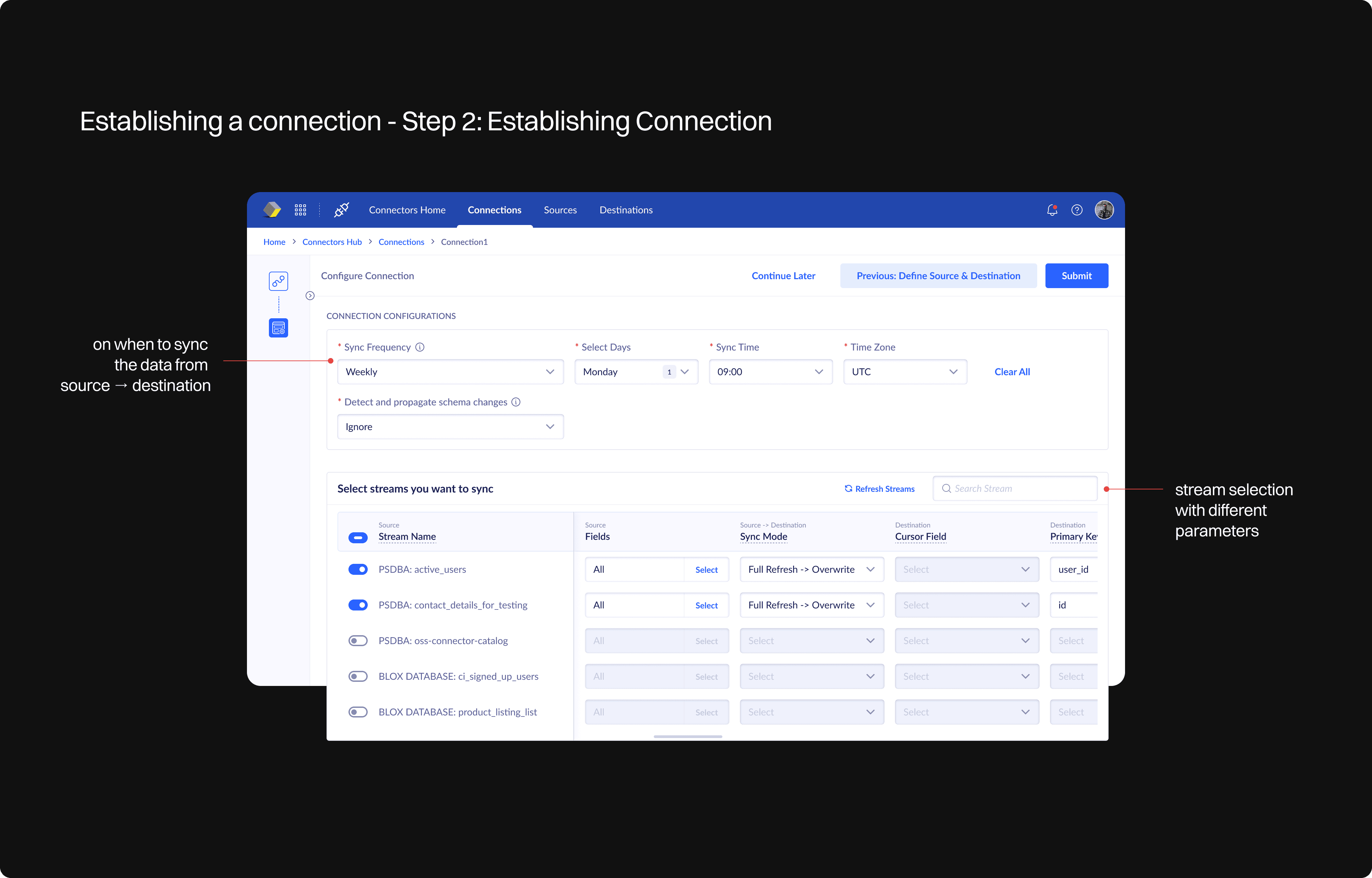
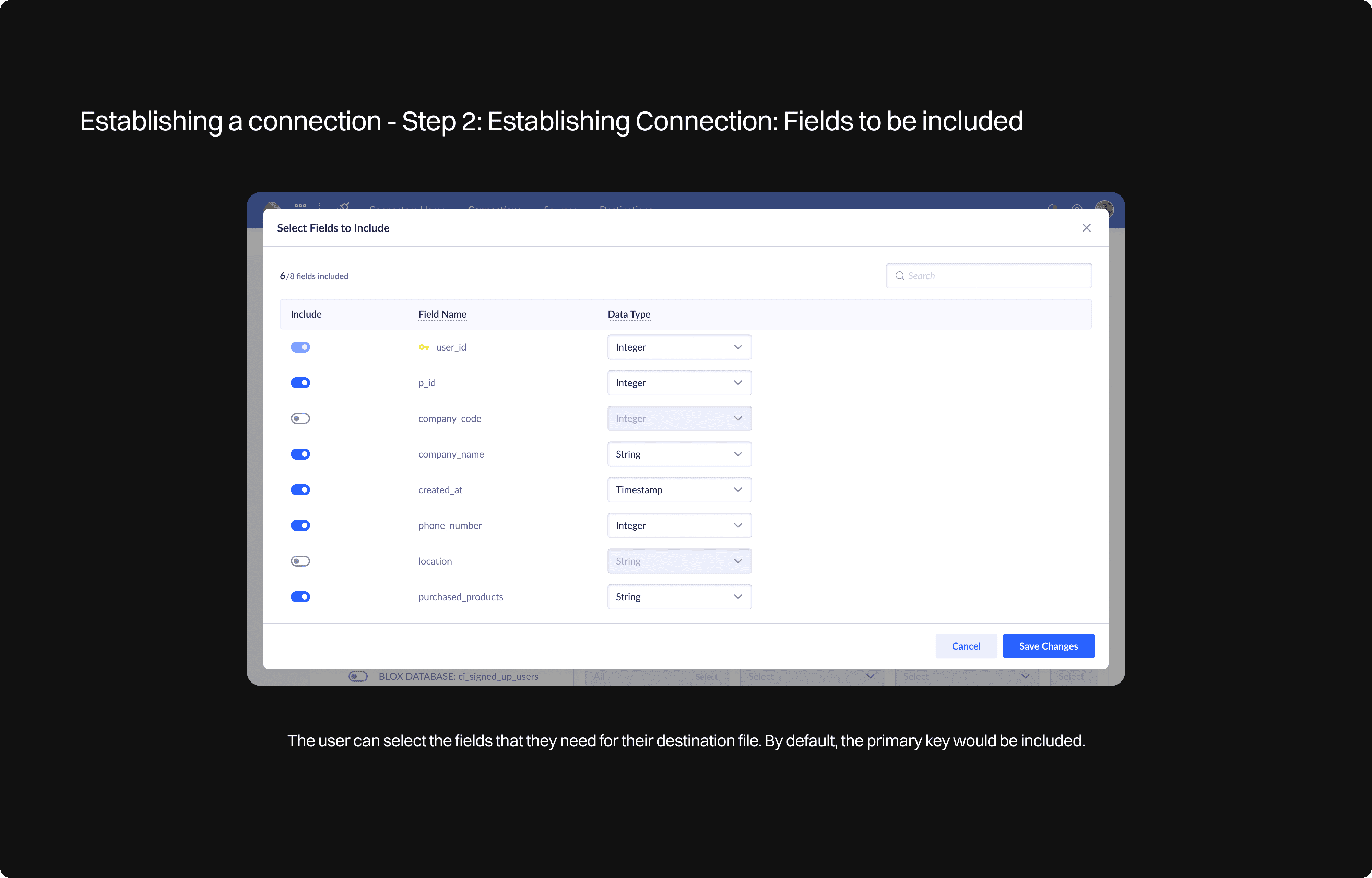
Final visual design - Establishing a Connection
Final visual design - Establishing a Connection
Future scope
Future scope
Data can be transformed during connection setup to enhance insights.
Data can be transformed during connection setup to enhance insights.
The destination can be an analytical tool, such as Google Analytics, to generate meaningful charts and reports.
The destination can be an analytical tool, such as Google Analytics, to generate meaningful charts and reports.
Key learnings
Key learnings
Product understanding - Collaboration with stakeholders - product managers, developers and backend engineer
Product understanding - Collaboration with stakeholders - product managers, developers and backend engineer
Remove pain points - Provide the user a well-defined and seamless flow to establish a connection
Remove pain points - Provide the user a well-defined and seamless flow to establish a connection
Designing with constraints - How to use the available resources to make the product better
Designing with constraints - How to use the available resources to make the product better

Other case studies
Other case studies

Onboarding flow
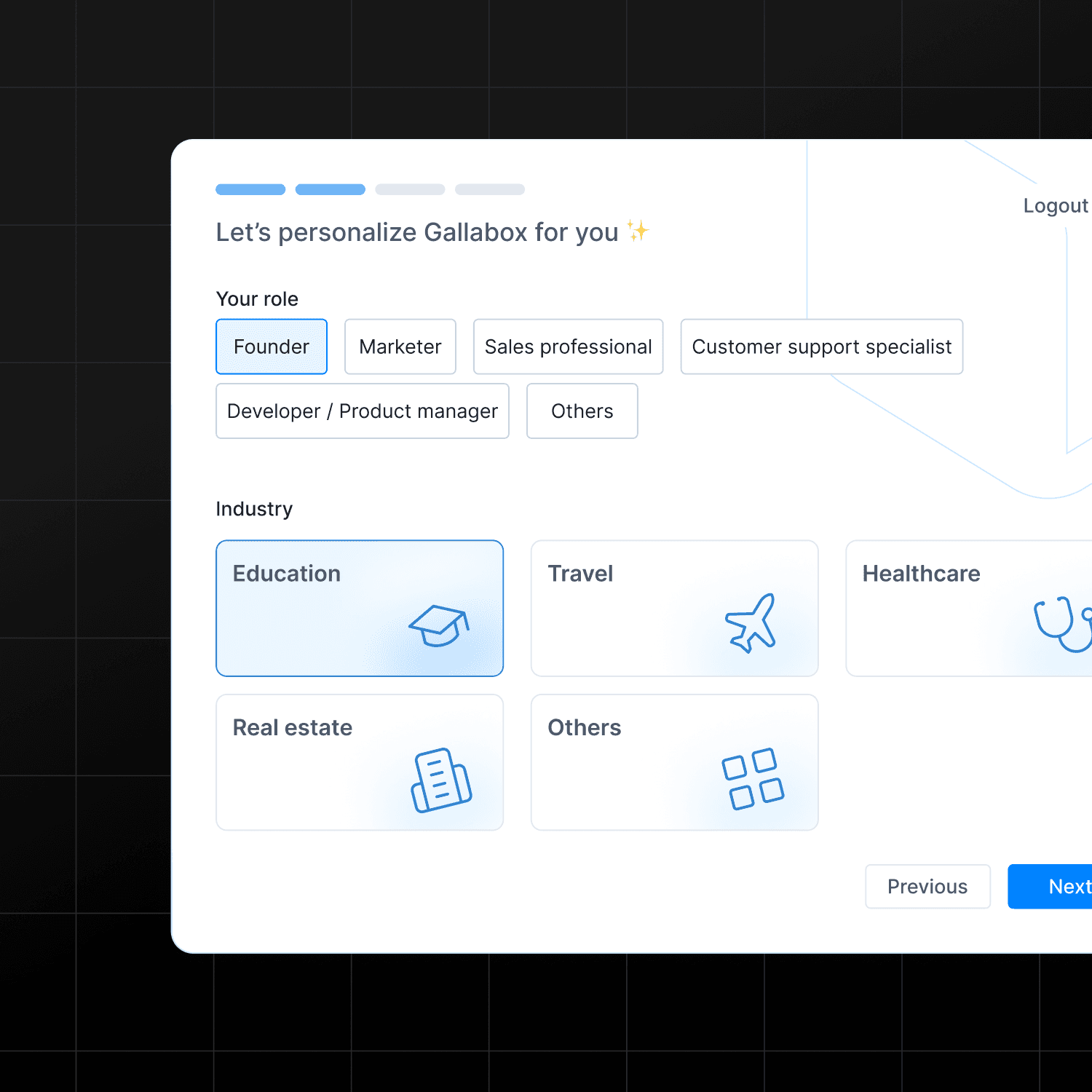
Revamped onboarding flow to boost trial conversions by 20% and sandbox activation by 3%
B2B SaaS
CRM
Onboarding flow
Revamped onboarding flow to boost trial conversions by 20% and sandbox activation by 3%
B2B SaaS
CRM
Onboarding flow
Revamped onboarding flow to boost trial conversions by 20% and sandbox activation by 3%
B2B SaaS
CRM

SpendPilot
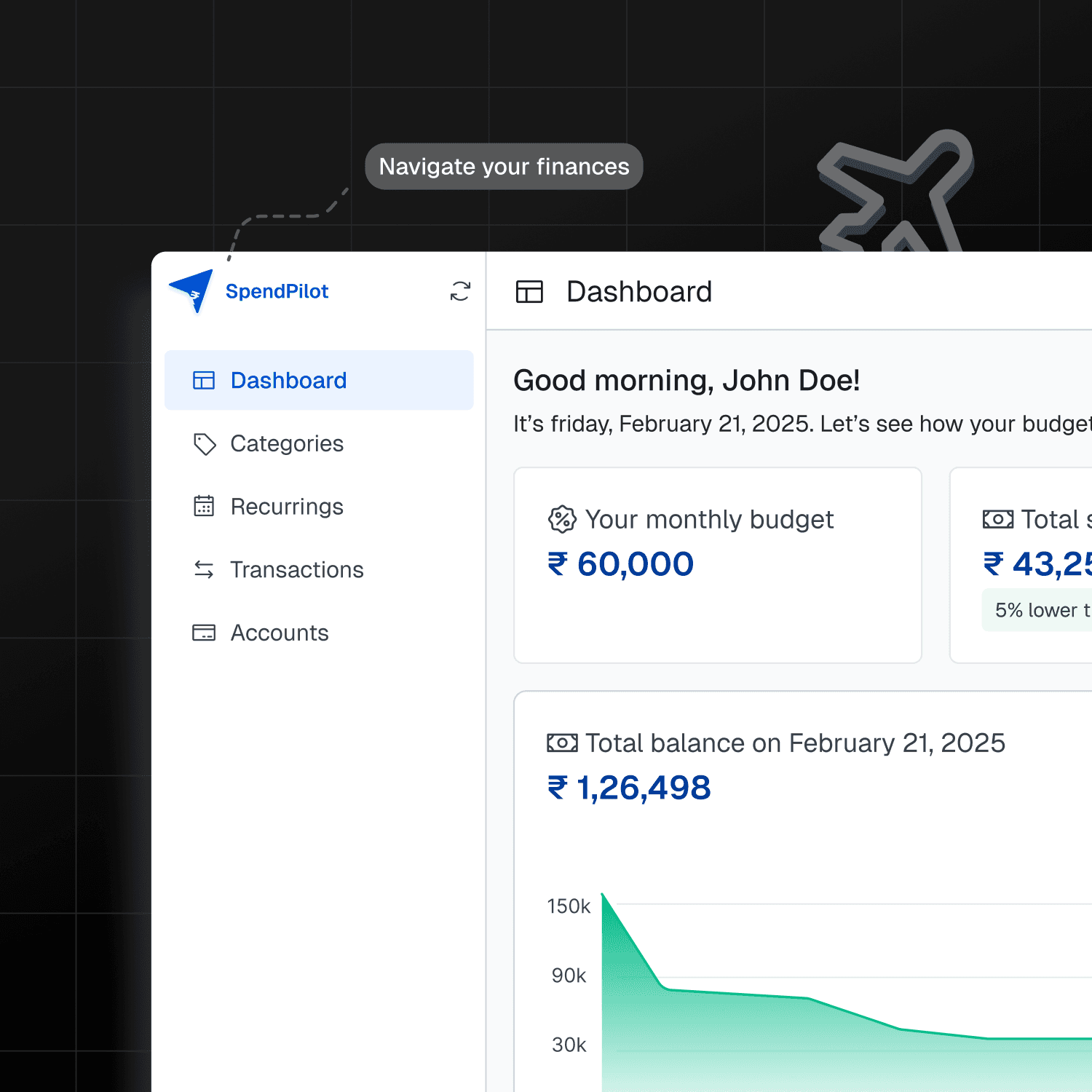
A modern financial management platform that puts users in control of their spending and expenses.
B2C
Account Aggregator Framework
AI
SpendPilot
A modern financial management platform that puts users in control of their spending and expenses.
B2C
Account Aggregator Framework
AI
SpendPilot
A modern financial management platform that puts users in control of their spending and expenses.
B2C
Account Aggregator Framework
AI